Best Practices for Google Maps Data Extraction
Nov 28, 2025

Google Maps is a powerful source for business data that can help companies generate leads, especially in industries like HVAC, landscaping, and janitorial services. Extracting this data enables businesses to create targeted outreach campaigns, analyze market density, and connect with potential customers. Here's what you need to know:
Data Extraction Methods: Use the Google Maps API for structured, compliant data or web scraping for broader, detailed information like emails or reviews.
Key Data Fields: Extract business names, addresses, phone numbers, ratings, and more. Advanced fields include email addresses, operating hours, and customer sentiment.
Planning: Break down regions by ZIP codes or small areas for better accuracy. Use keyword-based searches or full-map extractions based on your goals.
Tools: Dedicated scrapers (e.g., Botsol) or general-purpose frameworks (e.g., Selenium, Scrapy) automate the process. Proxy rotation and request throttling help avoid detection.
Data Cleaning: Deduplicate, standardize formats, and validate emails and phone numbers to ensure quality.
Legal Compliance: Always follow Google’s Terms of Service and anti-spam laws like the CAN-SPAM Act. Consider consulting legal counsel if using web scraping.
Scrape Data from Google Maps (in 2025) | Octoparse Tutorial
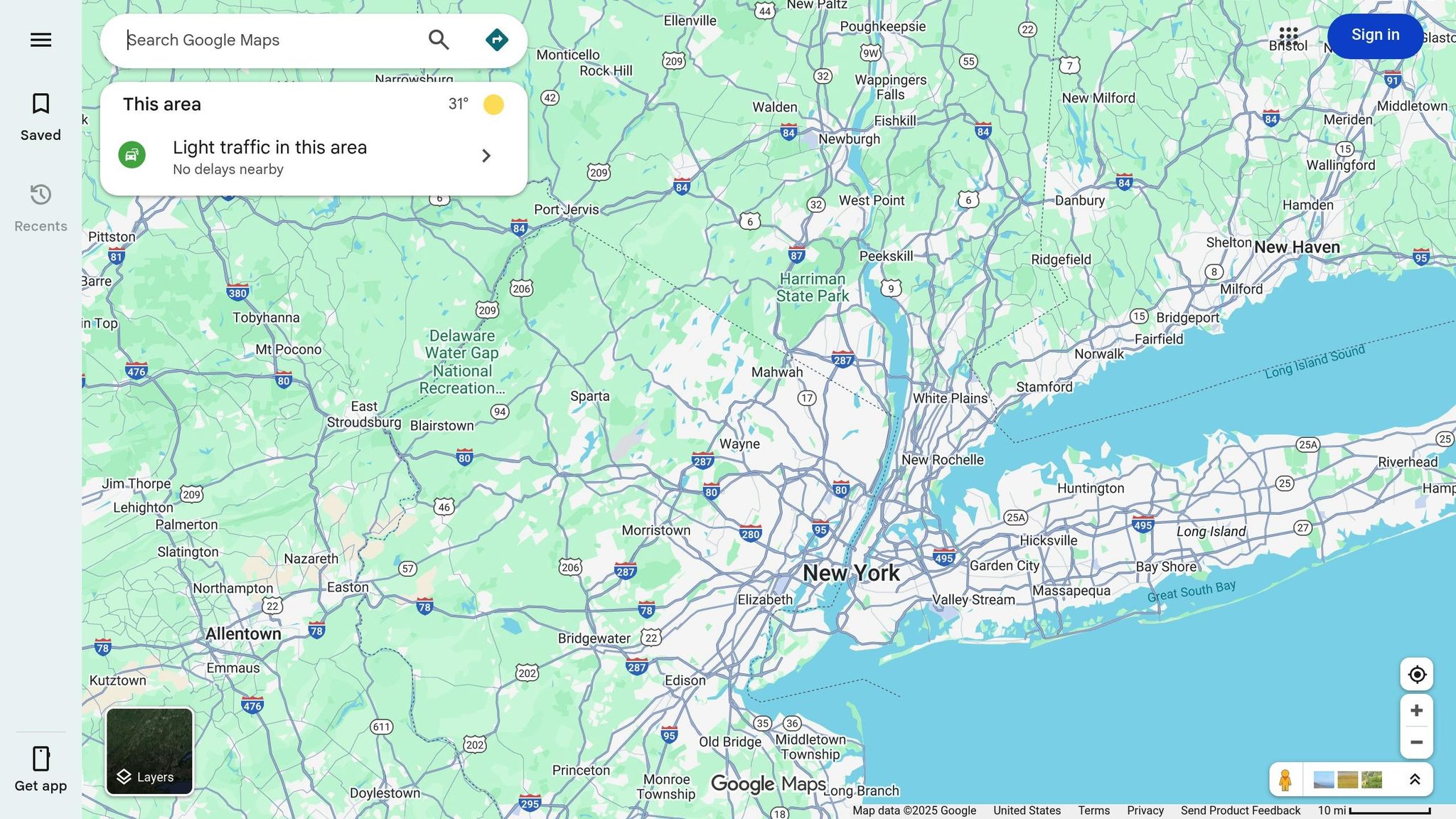
Methods for Extracting Google Maps Data
When it comes to pulling business data from Google Maps, you’ve got two main options: the official Google Maps API and web scraping. Each has its own perks and drawbacks, and knowing when to use one - or even both - can make a big difference in the cost and success of your lead generation efforts.
Google Maps API: Reliable but Limited
The Google Maps API is the official way to access business listings, locations, and geospatial data. Since it operates within Google's Terms of Service, it’s the most legally sound approach. The API delivers data in a consistent format, making it easy to plug into your CRM or lead management tools without worrying about messy formatting issues or missing fields.
For businesses that only need verified contact details for a smaller pool of leads, the API is a straightforward and dependable option. It provides essential information like business names, addresses, phone numbers, and ratings. However, it comes with some serious limitations:
Restricted data fields: You won’t get detailed customer reviews, pricing history, or email addresses.
Rate limits and costs: The API charges per request, and the fees can add up fast if you’re pulling data for large areas. Plus, rate limits mean data collection can take weeks for big campaigns.
While the API is great for small-scale, verified data collection, its restrictions make it less practical for large-scale lead generation.
Web Scraping: More Data, More Flexibility
If you need to go beyond the API’s limits, web scraping is the way to extract a wider range of data directly from Google Maps search results. This method can capture over 20 data fields, including extras like email addresses, social media links, detailed business hours, and customer sentiment from reviews.
Unlike the API’s pay-per-request pricing, web scraping requires an upfront investment in tools and infrastructure - think proxies, CAPTCHA solvers, and scraping software. But for large-scale campaigns, it’s far more cost-efficient. For example, scraping tools can handle multiple cities or states with batch queries, making them ideal for businesses targeting broad geographic areas.
Take Cohesive AI, for instance. This platform uses web scraping to pull business data from Google Maps, including owner emails, and automates outreach campaigns. At $500 per month plus a $75 onboarding fee, its Base Plan offers a predictable cost structure that works well for industries like janitorial services, landscaping, or HVAC.
However, web scraping isn’t without its challenges. Since Google’s Terms of Service prohibit automated data extraction, you’ll need to implement strategies to avoid detection:
Use dynamic IP rotation and proxies to mask activity.
Mimic natural user behavior with adaptive request timing and delays.
Break large areas into smaller sectors (e.g., 1.2-mile zones) to reduce the risk of bans.
You’ll also need to manage technical hurdles like CAPTCHA challenges, randomizing requests, and scheduling off-peak scraping sessions. While it requires more effort, web scraping is often the only way to gather comprehensive data for large-scale campaigns.
Combining Both Methods: A Balanced Approach
For the best of both worlds, consider a hybrid approach that combines the API’s reliability with the broader reach of web scraping. Here’s how it works:
Start with the Google Maps API to collect structured, verified data like business names, addresses, phone numbers, and ratings. This gives you a solid, compliant foundation.
Use web scraping to fill in the gaps, pulling restricted fields like email addresses, detailed reviews, and pricing information.
This strategy cuts down on scraping intensity, reducing the number of requests and lowering the risk of detection. Since the API handles the baseline data, you’re only scraping for supplementary details, which makes your activity look more natural. The result? A more complete dataset without overstepping compliance boundaries.
For example, if you’re targeting HVAC contractors or landscaping companies in specific ZIP codes, you can use the API to identify businesses and then scrape for customer reviews and email addresses. By coordinating both methods - deduplicating names, normalizing addresses, and randomizing requests - you can ensure a smooth and ethical data collection process.
The hybrid model is especially useful for industries that need detailed, personalized outreach while staying on the right side of legal and ethical guidelines.
Data Fields Available for Extraction
Extracting data from Google Maps can provide over 20 different data fields from each business listing[1], offering a detailed profile of your target leads. Knowing which fields to focus on - and how to use them - can mean the difference between generic outreach that gets overlooked and personalized campaigns that drive results.
At its core, basic contact information lays the groundwork for your lead database. Meanwhile, advanced data fields allow for more targeted and customized marketing efforts. Let’s break these fields into two categories: core contact details and advanced data points.
Basic Data Points for Lead Generation
These core fields form the backbone of any Google Maps listing and are essential for identifying, contacting, and qualifying leads:
Business name
This is the official name listed on Google Maps and acts as your primary identifier. It’s key for logging businesses in your CRM, personalizing outreach, and tracking campaign performance.
Full address
This includes the street address, city, state, and postal code. It’s crucial for location-based targeting, whether you’re narrowing in on specific ZIP codes or planning regional campaigns.
Phone number
A direct line to decision-makers, the phone number opens up communication channels like calls or SMS follow-ups. For consistency, format numbers using the E.164 standard.
Website URL
A business’s website can help qualify leads by revealing its level of marketing sophistication. Websites often provide additional contact details such as email addresses or social media links, making them valuable for pre-outreach research.
Business category
Categories like "HVAC contractor" or "janitorial service" help you filter businesses that align with your ideal customer profile, ensuring your outreach is targeted and relevant.
Google rating and review count
These metrics give insight into a business’s reputation. Targeting companies with strong ratings and a solid number of reviews can help you focus on established businesses likely to invest in your services.
Latitude and longitude coordinates
These precise geographic markers allow you to map lead concentrations, identify customer clusters, and optimize routes for in-person visits or service calls.
Additional Data for Better Targeting
Advanced fields provide the tools for even more personalized and effective outreach:
Email addresses
While Google Maps doesn’t display emails directly, they can often be found on linked websites or through data enrichment tools. Services like Cohesive AI can combine data to automate personalized campaigns.
Social media links
These links open up additional contact channels and provide insights for tailoring your outreach.
Operating hours and review content
Operating hours confirm when a business is active, helping you time your outreach effectively. Review content can reveal customer sentiments, which advanced tools like natural language processing can analyze for deeper insights.
Geo_hash_8 codes
These unique location identifiers are an alternative to latitude and longitude, particularly useful for avoiding duplicate data when multiple scraping sessions overlap.
When planning your data extraction, focus on the fields most relevant to your campaign. For example, cold email campaigns benefit from capturing business names, email addresses, website URLs, ratings, and review counts. On the other hand, direct mail or in-person outreach will rely more heavily on full addresses, phone numbers, and operating hours. By tailoring your extraction to your goals, you can save time and ensure your database remains high-quality and actionable.
Planning Your Data Extraction Strategy
When it comes to pulling data for lead generation, having a structured approach is key. By carefully planning your strategy, you can ensure you're gathering only the most relevant information. Before diving in, consider your geographic focus, how you'll conduct your searches, and ways to scale your efforts over time.
Google Maps has a limit on the number of results it displays for any given search query. For example, a general search like "HVAC contractors in Texas" might not capture all the listings you need[1]. To overcome this, your strategy should balance efficiency with thoroughness. Below, we'll explore how to divide your target area, refine your search methods, and expand your efforts as your campaigns grow.
Breaking Down Regions by Geography
Geographic segmentation is a must. Trying to scrape an entire state or large metro area in one go often leaves gaps. The best solution? Break your target into smaller, manageable zones - such as cities, ZIP codes, or even smaller areas in densely populated regions[1][2].
Instead of running a single broad search, create individual queries for each city or ZIP code. In crowded urban centers, you might even split cities into smaller sectors, like 2 km zones, to ensure every business gets captured[2]. While this adds more steps, it guarantees a more complete dataset.
For businesses focused on specific service areas, ZIP code targeting can be especially effective. For instance, a landscaping company aiming to serve particular neighborhoods can extract data by ZIP code to create a highly localized lead list. This level of precision also helps with planning direct mail campaigns or organizing in-person outreach by location.
Many scraping tools now allow you to upload bulk search queries, saving you from manually entering dozens - or even hundreds - of searches. This feature simplifies city-by-city or ZIP-by-ZIP extractions, making the process faster and more efficient[1].
Keyword Targeting vs. Area-Wide Extraction
When it comes to extracting data, you have two main approaches: keyword-based targeting and full-map extraction.
Keyword-based targeting involves searching for specific business types in defined areas. For example, you might search for "HVAC contractors" or "commercial cleaning services" within a city or ZIP code. This method is efficient and focuses on gathering the most relevant leads[1][2].
Full-map extraction collects all points of interest in a given area, regardless of category. While this approach captures more data, it requires additional filtering and is more time-consuming.
For most local service businesses, a hybrid approach works best. Start with keyword-based searches for your primary service categories - like "HVAC contractors", "janitorial services", or "landscaping companies" - and combine this with geographic segmentation[1][2]. This way, you maximize data quality without wasting time or resources.
If you're targeting specific neighborhoods or business districts, consider using the "Update results when map moves" feature available in some tools. Begin with a keyword search (e.g., "restaurants") and manually move the map to different areas. The scraper will automatically capture new listings as they appear[3]. This method is particularly useful for high-density clusters, such as industrial zones or shopping centers. For example, an HVAC contractor might focus on industrial parks, while a janitorial service could prioritize retail hubs[3].
Expanding from Local to Regional Campaigns
Start small to refine your process before scaling up to larger campaigns. Testing your method locally ensures that your data extraction is accurate and efficient.
Begin with a single city. Define your keywords, test your scraping tool, and establish a system for cleaning and validating your data[1]. Once you're confident in the results, you can expand to additional cities or regions.
When scaling, use multi-threaded scraping to process multiple locations simultaneously. For instance, instead of scraping Dallas, Houston, and Austin one at a time, you can run all three searches in parallel. This approach saves time and accelerates data collection[2].
Focus on high-priority categories first. If you're targeting HVAC contractors, landscapers, and general contractors, start with the most critical category across all cities before moving to secondary ones. This ensures you capture your most valuable leads early on[2].
As your database grows, switch to incremental updates rather than re-scraping entire areas. Instead of pulling data for every business again, focus on new or updated listings. This method is more efficient, reduces costs, and minimizes the risk of detection[2].
For example, if you're running an HVAC campaign that starts in Dallas and expands across Texas, you can systematically add cities like Houston, Austin, and San Antonio. Stick to the same keyword structure and data validation process as you scale. To stay compliant, respect rate limits, use proxy rotation to avoid IP bans, and keep your scraping frequency responsible[2].
Platforms like Cohesive AI can simplify scaling by automating Google Maps scraping across multiple regions. These tools handle multiple campaigns at once while maintaining data quality and adhering to compliance standards (getcohesiveai.com). Automation like this is especially helpful when managing large-scale campaigns, as it reduces the manual workload.
The goal here isn't just to gather more data - it's to collect the right data. By segmenting your regions, targeting specific keywords, and scaling strategically, you can build a high-quality lead database that supports effective outreach without wasting time or resources on irrelevant information.
Technical Tools and Implementation
Once you've outlined your data extraction strategy, the next step is selecting tools that can efficiently gather information while avoiding issues like rate limits, IP bans, or incomplete results. These tools and techniques are what transform your plan into a smooth, scalable system for lead generation.
Selecting Web Scraping Tools
The right tool for the job depends on your technical expertise and the size of your project. Generally, you’ll be looking at three categories: dedicated Google Maps scrapers, general-purpose web scraping frameworks, or hybrid methods that combine both.
Dedicated Google Maps scrapers - like Botsol Google Maps Crawler or G Maps Extractor - are designed to quickly pull essential data such as business names, addresses, phone numbers, websites, ratings, and review counts [1]. These tools are perfect for non-technical users or anyone looking for quick, no-code solutions. For example, Botsol Google Maps Crawler supports bulk processing, allowing you to upload a text file with hundreds of search queries to process automatically. Plus, features like progress tracking and error logging make it easier to handle large-scale projects and troubleshoot issues.
General-purpose web scraping frameworks, such as Selenium, BeautifulSoup, and Scrapy, provide more customization options. Selenium is especially handy for navigating dynamic content, like scrolling through results or interacting with listings. While BeautifulSoup works well for static HTML, it’s less effective for dynamic platforms like Google Maps. Scrapy, on the other hand, is built for handling large-scale, multi-threaded scraping tasks [2].
Hybrid approaches combine the Google Maps API with web scraping to strike a balance between cost, legality, and data depth. For instance, you can use the API to retrieve structured business information (like names, addresses, and phone numbers) and supplement this with web scraping to gather reviews, pricing, or other details [2]. This method lightens the scraping load while still giving you a complete dataset.
For businesses focused on lead generation, dedicated scrapers offer ease of use and robust functionality. Meanwhile, developers who need custom solutions will find tools like Selenium ideal for managing Google Maps' dynamic interface [2]. Manual data collection becomes impractical for anything beyond a handful of entries, but automated tools can process hundreds - or even thousands - of listings in minutes [1].
When choosing a tool, prioritize features like bulk search capabilities, automated scrolling to capture all available results, and export options (e.g., CSV or JSON for easy CRM integration) [1]. Tools with error logs and progress tracking can save you time by quickly identifying and resolving issues.
Once you’ve selected your tools, it’s important to safeguard your process with anti-detection strategies.
Preventing Rate Limits and IP Bans
Google Maps has systems in place to block excessive requests from a single IP address [2]. To scrape data at scale, you’ll need to implement proxy rotation and request throttling.
Proxy rotation spreads your requests across multiple IP addresses, making it appear as though many users are accessing Google Maps. This reduces the likelihood of hitting rate limits. Depending on your budget and risk tolerance, you can choose between residential or datacenter proxies [2].
Dynamic IP rotation takes proxy management a step further by automatically switching between proxies based on detection patterns. Instead of rotating after every request, it adjusts based on signs of detection, like CAPTCHA challenges or timeouts. Some advanced tools also simulate natural user behavior to further mask automation [2].
Request throttling works alongside proxy rotation by adding delays between requests. Instead of bombarding the server with rapid-fire queries, introduce pauses of 2–5 seconds to mimic genuine user activity. Randomizing these delays and mixing in different user agents can make your process even harder to detect [2].
If you notice an increase in CAPTCHAs or timeouts, reduce your request frequency. While CAPTCHA-solving services can help, relying on them heavily may signal that your detection strategies need fine-tuning.
Running extraction tasks during off-peak hours can also reduce interruptions and detection risks. Plus, it gives you a chance to review progress and troubleshoot any errors [1].
Automating the Extraction Process
Automation can slash the time it takes to gather data - turning what might take weeks into just hours, especially for regional or national campaigns. The trick is to combine techniques that speed up the process without sacrificing accuracy.
Automated scrolling eliminates the need for manual pagination, continuously capturing new listings as they load [1][3]. Multi-threaded scraping allows you to run multiple extraction processes simultaneously, targeting different geographic areas or search terms [2]. For instance, instead of scraping one city at a time, you can collect data from several cities at once, cutting down on overall extraction time.
Bulk keyword processing lets you upload a file with multiple search queries, so the tool can handle them automatically - no need to input each query manually [1]. Similarly, map movement control automates the repositioning of the map view, ensuring listings from various areas are captured. Tools like G Maps Extractor even include features like "Update results when map moves", which adjusts the map view to focus on specific zones or neighborhoods [3].
Scheduled overnight runs are another time-saver, allowing you to set up extraction jobs during low-traffic hours. By the time you’re ready to start your day, the dataset is complete, and you’ve avoided peak-time detection risks [1].
For businesses managing campaigns across multiple regions, platforms like Cohesive AI streamline the entire process. Cohesive AI handles Google Maps scraping, proxy rotation, rate limiting, and data validation while also offering managed email deliverability and automated marketing campaigns. For $500 per month plus a $75 setup fee, it’s a turnkey solution that eliminates the need to build and maintain your own scraping infrastructure (getcohesiveai.com).
Cleaning and Improving Your Extracted Data
Raw data from Google Maps often comes with its share of issues - duplicates, inconsistent formatting, and missing details. Cleaning this data is crucial to turn it into reliable lead lists that work seamlessly with your CRM and email marketing tools.
Removing Duplicates and Standardizing Formats
When scraping Google Maps, duplicates are almost inevitable, especially if your searches span overlapping regions or categories. The best way to tackle this is by using multiple matching criteria. Start by normalizing business names and standardizing addresses. Then, use geographic coordinates as a secondary check - flag any records with coordinates matching within a 10-meter radius to account for slight GPS discrepancies. To further verify duplicates, convert phone numbers to the E.164 format. Combining these methods can eliminate 95–98% of duplicates without needing manual intervention.
Address standardization is just as important. Break down full addresses into components like street, city, state, and ZIP code, then apply consistent abbreviations. For example, "123 Main Street, Suite 200, Dallas, Texas 75201" becomes "123 Main St Ste 200, Dallas, TX 75201." This process can reduce address-related import errors by 80–90%. If you're merging data from multiple sources, expect higher duplicate rates. For instance, an API might provide 500 clean records while web scraping yields 800 messier ones. After deduplication, you could end up with around 900–1,000 unique entries.[1][2] Maintaining a duplicate rate below 5% is a good benchmark for data quality.
Once you've removed duplicates and standardized formats, the next step is to validate and enrich your data to maximize its usefulness.
Validating and Enriching Data
Data loses its value quickly if it's outdated or incorrect. Emails might be misspelled or inactive, and phone numbers can become disconnected. To address this, use email validation tools like NeverBounce or ZeroBounce. For a typical batch of 1,000 emails, you can expect about 60–75% to be valid, with the rest flagged as inactive or incorrect. Since these services usually cost between $0.001 and $0.005 per email, validating large batches is a cost-effective way to safeguard your sender reputation.
Data enrichment takes things a step further by adding valuable details like decision-maker contacts, company size, and industry classifications. Tools such as Clearbit and Hunter can automate this process. For example, Clearbit can provide data on employee count, funding stage, and industry, while Hunter specializes in identifying verified professional email addresses tied to business domains. A practical approach might involve extracting 200 local businesses (e.g., landscaping companies) from Google Maps, then using Clearbit to enrich each record with company size and industry details, and Hunter to find key decision-maker emails. This can add 3–5 extra fields per record and increase outreach success rates by up to 40%. Enrichment costs typically range from $0.10 to $0.50 per record. For a campaign targeting 1,000 businesses, you might spend $100–$500 on enrichment but see response rates jump from 2–3% to 5–8%.
If you're looking for a streamlined solution, platforms like Cohesive AI automate both enrichment and outreach tasks (getcohesiveai.com).
Keep an eye on your validation success rates - aim for at least 70% for emails and 85% for phone numbers. Clean, enriched data ensures better segmentation and improved campaign results.
Preparing Data for Outreach Campaigns
Once your data is clean and enriched, the next step is formatting it for smooth CRM integration. Export the data as a CSV file with standardized column headers matching your CRM's field names. Segment your data by factors like business category, geographic location, or lead quality before importing it. For example, if you’ve extracted 2,000 HVAC contractors across Texas, you could segment them by city (e.g., Dallas, Houston, Austin, San Antonio) and rating (e.g., 4.0+, 3.5–3.9, below 3.5) to create more targeted outreach groups.
When importing data into email marketing platforms like Mailchimp or HubSpot, ensure phone numbers are consistently formatted with country codes and proper hyphenation. Remove any special characters that could cause errors during parsing. Always test imports with a smaller batch - 50 to 100 records - before proceeding with a full upload. Including metadata fields, such as the original search term, scrape date, and data source (e.g., API or web scraping), can make segmentation and troubleshooting easier. Filtering out lower-rated businesses (those with less than 4.0 stars) during the cleaning stage can also enhance lead quality. Lastly, ensure each record contains at least a business name, phone number, address, and one additional contact method. Properly formatted and segmented data typically imports with a success rate of 99% or higher.[1]
Legal and Ethical Considerations
Extracting data from Google Maps comes with a web of legal complications. While the information might seem publicly available, the methods you use to collect and apply it can have serious implications for both legal compliance and ethical business practices.
Following Google's Terms of Service
Google explicitly prohibits unauthorized automated data scraping in its Terms of Service. Ignoring these terms can lead to significant consequences, including cease-and-desist orders, lawsuits for breach of contract, or even permanent bans on your IP address.[1][2]
The safest route? Use the official Google Maps API. It offers structured access to business listings, geospatial data, and other information within Google's approved guidelines.[2] However, the API isn’t without its drawbacks. It restricts access to certain types of data - like historical pricing, customer reviews, and detailed contact information - and costs can add up quickly for large-scale requests due to usage limits. Some businesses opt for a hybrid approach: they use the API for basic data (like names, addresses, and coordinates) and supplement it with web scraping for fields the API doesn’t cover. While this may seem practical, it doesn’t eliminate all legal risks.
Before diving into any large-scale data extraction efforts - especially across multiple regions or industries - consult with legal counsel. If you discover your business has been using non-compliant methods, stop immediately. Continuing such practices could increase your legal exposure. Conduct a thorough audit of the extracted data, including its volume, timeframe, and usage, to demonstrate your commitment to correcting the issue. This legal groundwork highlights why ethical data collection is so important.
Responsible Scraping Practices
If you decide to move forward with web scraping despite the risks, there are steps you can take to minimize potential legal trouble. First, avoid full-scale scraping operations; instead, focus on incremental updates. For instance, if you’ve already scraped data for 2,000 HVAC contractors, only update listings that have changed or are new. This reduces server strain, lowers the chance of detection, and cuts operational costs.
Implement adaptive request management techniques, such as spacing out requests and varying their patterns. Breaking down large areas into smaller zones can also help you manage request volumes more effectively.[2] Additionally, document all scraping activities to demonstrate efforts toward compliance.
When using scraped data for outreach, ensure you’re adhering to anti-spam laws like the CAN-SPAM Act. This includes providing clear sender identification, accurate header information, and a functional unsubscribe option.[1] A preference management system can help you track opt-out requests and maintain suppression lists, reducing the risk of repeated, unwanted contact.
Transparency is key. Be upfront about how you obtained contact information and use it only for legitimate purposes, such as B2B lead generation. Overzealous or unsolicited outreach can harm your brand, trigger spam filters, and even lead to bans from platforms or accounts. Prioritizing legal and ethical practices not only protects your business but also supports sustainable lead generation efforts.
Lastly, think about the long-term viability of your data collection strategy. Solely relying on web scraping might meet immediate needs, but it can jeopardize compliance and operational stability over time. Building partnerships with data providers or platforms that offer legitimate access to business information can provide a more stable and compliant foundation for your lead generation efforts. This approach ensures your business is set up for success without compromising on ethics or legality.
Conclusion
Key Takeaways
Extracting data from Google Maps successfully requires a well-thought-out strategy that balances efficiency, accuracy, and compliance with legal standards. This guide has laid out the essential steps to ensure your efforts are effective and sustainable, avoiding wasted resources or potential legal pitfalls.
Combine API usage with targeted scraping. Using both methods together reduces costs, minimizes detection risks, and ensures you gather a complete and reliable dataset.
Geographic segmentation is critical. Break down regions into smaller, manageable sectors - about 1.25 miles (2 km) each. Start with major cities and high-density areas, validating your data quality before expanding regionally. Segmenting allows for parallel extractions, boosting both speed and coverage.
Prioritize data quality over quantity. Scraped data needs to be cleaned and standardized. Deduplicate records, validate addresses, and normalize phone numbers to the E.164 format. Filtering your data based on specific criteria, like business rating or website presence, ensures you're working with the most promising leads.
Manage requests adaptively. Techniques like throttling, dynamic IP rotation, and human-like browsing patterns help protect your operations. Use multi-threaded extractions across zones to increase efficiency while keeping request rates low. For large datasets, focus on incremental updates to refresh modified listings rather than re-scraping everything.
Compliance is non-negotiable. Document your activities, offer opt-out options, and follow regulations like the CAN-SPAM Act. These practices safeguard your business and set the foundation for long-term success.
With these principles in mind, you can create a streamlined and effective data extraction process.
Taking the First Steps
By following the strategies outlined in this guide - like segmented extractions and adaptive scraping - you can build a solid framework for efficient and ethical lead generation.
Start with a structured plan. Identify your target industries and geographic areas, breaking them into smaller zones. Run a pilot extraction with 3–10 queries, then review 20–50 random rows from the output to ensure the data meets your standards before scaling up. A little planning upfront can save you from costly mistakes later.
If you’re in industries like janitorial services, landscaping, HVAC, catering, or business brokerage, having a streamlined system can make all the difference. Platforms such as Cohesive AI simplify the process by handling everything from scraping Google Maps to managing personalized email campaigns. At $500 per month (plus a one-time $75 onboarding fee), their Base Plan includes features like CRM integration, automated marketing, and managed email deliverability - offering a cost-effective alternative to traditional lead generation agencies that charge significantly more.
Whether you choose to build your own system or use an automated platform, the key is to focus on data quality, ensure compliance, and approach lead generation as a long-term effort. Success comes from laying a strong foundation: collecting the right data, cleaning it thoroughly, and using it responsibly to connect with potential clients.
Your next move is straightforward: pick your target industry and region, test your approach with a small pilot project, and scale up as you refine your process. The roadmap is clear - now it’s time to take action.
FAQs
What’s the difference between using the Google Maps API and web scraping for extracting data?
The Google Maps API and web scraping are two distinct approaches for accessing location data, each with its own set of advantages and limitations. The Google Maps API is an official service provided by Google, designed to give developers structured and authorized access to location data. Using this tool typically requires an API key and incurs costs based on the volume of requests made.
In contrast, web scraping involves extracting data directly from the Google Maps interface. While this method can sometimes provide more flexibility for specific or smaller-scale data needs, it comes with risks. Scraping without permission or in ways that violate Google’s terms of service can lead to legal or ethical complications.
For those seeking dependable and scalable data access while staying within Google's guidelines, the API is the go-to solution. However, when used responsibly, web scraping might be a viable option for limited or unique data requirements.
What steps can businesses take to ensure legal compliance when extracting data from Google Maps?
To ensure your business stays within the law when using data from Google Maps, consider these essential steps:
Understand Google Maps' Terms of Service: Take the time to read and comprehend the platform's rules to ensure your data usage stays within their outlined policies.
Steer Clear of Unauthorized Scraping: Using automated tools to scrape data without permission can breach Google's terms and may result in legal trouble. Instead, rely on approved APIs or tools that comply with their guidelines.
Follow Privacy Regulations: If you're working with personal or sensitive data, make sure to comply with privacy laws like the CCPA or GDPR, depending on your region.
By staying informed and committing to ethical practices, businesses can use Google Maps data responsibly while avoiding unnecessary legal risks.
How can I clean and validate extracted data to improve the quality of my lead generation efforts?
To generate high-quality leads, it's crucial to clean and validate the data you've collected. Begin by eliminating duplicates, incomplete records, and any outdated information. Double-check contact details such as phone numbers, email addresses, and business names to ensure everything is accurate.
Leverage trusted tools or software to cross-reference your data with reliable sources. Adding extra details, like business categories or locations, can help you refine your targeting. Regular updates and audits of your database will keep it accurate and reliable, making your campaigns more effective and polished.