Google Maps Data for Local Business Metrics
Jun 5, 2025

83% of consumers used Google to evaluate local businesses in 2025, and 46% of all Google searches are for local information. This makes Google Maps a critical tool for local businesses to attract customers, analyze competition, and grow. Here’s how businesses can use Google Maps data effectively:
Optimize Your Google Business Profile: Businesses with optimized profiles see 70% more location visits and 50% higher conversions. Simple updates like adding photos can increase direction requests by 42%.
Track Key Metrics: Focus on profile views, direction requests, phone calls, and website clicks to understand customer behavior and intent.
Analyze Search Behavior: Leverage direct, discovery, and branded searches to refine your marketing strategy and capture high-intent leads.
Benchmark Against Competitors: Compare reviews, ratings, and response times to improve visibility in the local pack, where 42% of searchers click results.
Use Automation for Lead Generation: Tools like Cohesive AI automate lead identification, outreach, and campaign tracking, saving time and driving results.
Google Maps isn’t just for navigation - it’s a powerful resource for business insights. Start by optimizing your profile, tracking customer actions, and using data to make smarter decisions.
How To View Performance Data In Your Google Business Profile
Key Metrics from Google Maps for Local Businesses
Knowing which metrics to track can transform your approach to business performance, helping you shift from guesswork to making informed, data-driven decisions. Google Maps offers valuable insights into how customers interact with your business, highlighting areas where you can grow.
Google Business Profile Insights
Your Google Business Profile is a treasure trove of analytics, offering a clear picture of customer engagement. These insights focus on how visible your business is on Google Search and Maps, which directly affects how potential customers find and connect with you[4].
Key metrics to keep an eye on include profile views, direction requests, phone calls, and website clicks. Profile views indicate how often your listing shows up in searches, while direction requests signal that customers are likely planning to visit you. Phone calls, especially for service-oriented businesses, often represent leads with the highest intent.
"For our clients, it's almost 100% focused on the number of calls we're able to generate. Our clients stick with us as long as we're able to generate leads via phone calls, so we pay close attention to that", says Ryan Burch, Managing Partner at Tobie Group[1].
On average, businesses appear in 1,009 searches per month, with 84% of those being discovery searches[5]. Even though only 5% of Google Business Profile views result in a website click, call, or direction request, this small percentage represents highly motivated leads actively seeking your services[5].
Different businesses prioritize different metrics. Joey Randazzo, Owner of Portland SEO Growth Partners, explains:
"Local businesses that rely on foot traffic: think about your average florist or marijuana dispensary. They don't really want the phones ringing off the hook. They want people to type in 'best florist in Portland' or 'dispensary near me.' For these businesses, 'direction requests' is the most important metric"[1].
From here, it’s essential to dive deeper into how customers search for your services to refine your strategy.
Customer Search Behavior Analysis
Beyond the basic metrics, understanding how customers search for your business provides deeper market insights. Google Business Profile breaks searches into three categories: direct searches, discovery searches, and branded searches.
Direct searches happen when someone types your exact business name or address into Google, usually to find details like hours or contact info.
Discovery searches occur when users find your listing by searching for terms like "HVAC repair near me" or "landscaping services."
Branded searches involve queries that include your business name alongside other terms.
Between Q4 2017 and Q4 2018, direct searches increased by 38%, while website clicks from Google Business Profile listings rose by 29%[5]. This growth suggests customers are becoming more familiar with businesses and returning for repeat interactions.
For most local service businesses, discovery searches offer the biggest potential. These searches capture customers at the exact moment they’re looking for a service, making it crucial to optimize your profile to appear in these results. Analyzing search behavior also helps you spot seasonal trends and customer preferences, allowing you to fine-tune your marketing and services to match demand.
Local Competitor Benchmarking
Once you understand how customers interact with your business, comparing your performance to local competitors can reveal areas for improvement. The Google Maps local pack - the top three businesses displayed in local searches - is a prime spot for visibility and lead generation.
A whopping 42% of searchers click on results in the local pack[3]. This makes securing a spot in this section critical for boosting visibility.
"The free Google Business listings in the 'map 3 pack' is currently the most prominent feature at the top of the Google search results. Combined with those golden customer reviews, it's an extremely important part of local visibility", notes Kira Krostag, CEO/Founder of Site Smart Marketing[1].
To stay competitive, compare metrics like your review count, average rating, and response times to customer inquiries. Reviews are especially influential - 58% of people feel more confident choosing a business with a high star rating[2]. Reviews also contribute to SEO and help build trust with potential customers.
"The Google Business Metric our agency cares the most about is reviews as this can also help with website SEO as well as brand trust. Reviews come from real customers of yours and give the best insight to Google (plus potential new customers) if you're the right fit and are going to give the best service for them", explains Layne Sparks, Head of SEO at Kiwi Website Design[1].
Competitor analysis may also uncover opportunities, such as businesses with incomplete profiles, outdated information, or poor review management. By maintaining a polished and consistent online presence, you can capture a larger share of local demand.
As Ryan Burch from Tobie Group points out:
"Google Business Profile has quickly become one of the most important SEO ranking factors on Google. That means, the better your business profile, the more likely your company was to appear ahead of competitors in local searches"[1].
Methods for Collecting and Analyzing Google Maps Data
When it comes to gathering and analyzing Google Maps data, the key is to focus on important metrics and adopt a systematic approach. Different methods cater to varying business needs, technical expertise, and goals. Below, we break down some of the most effective ways to collect and leverage this data.
Using Google Business Profile API
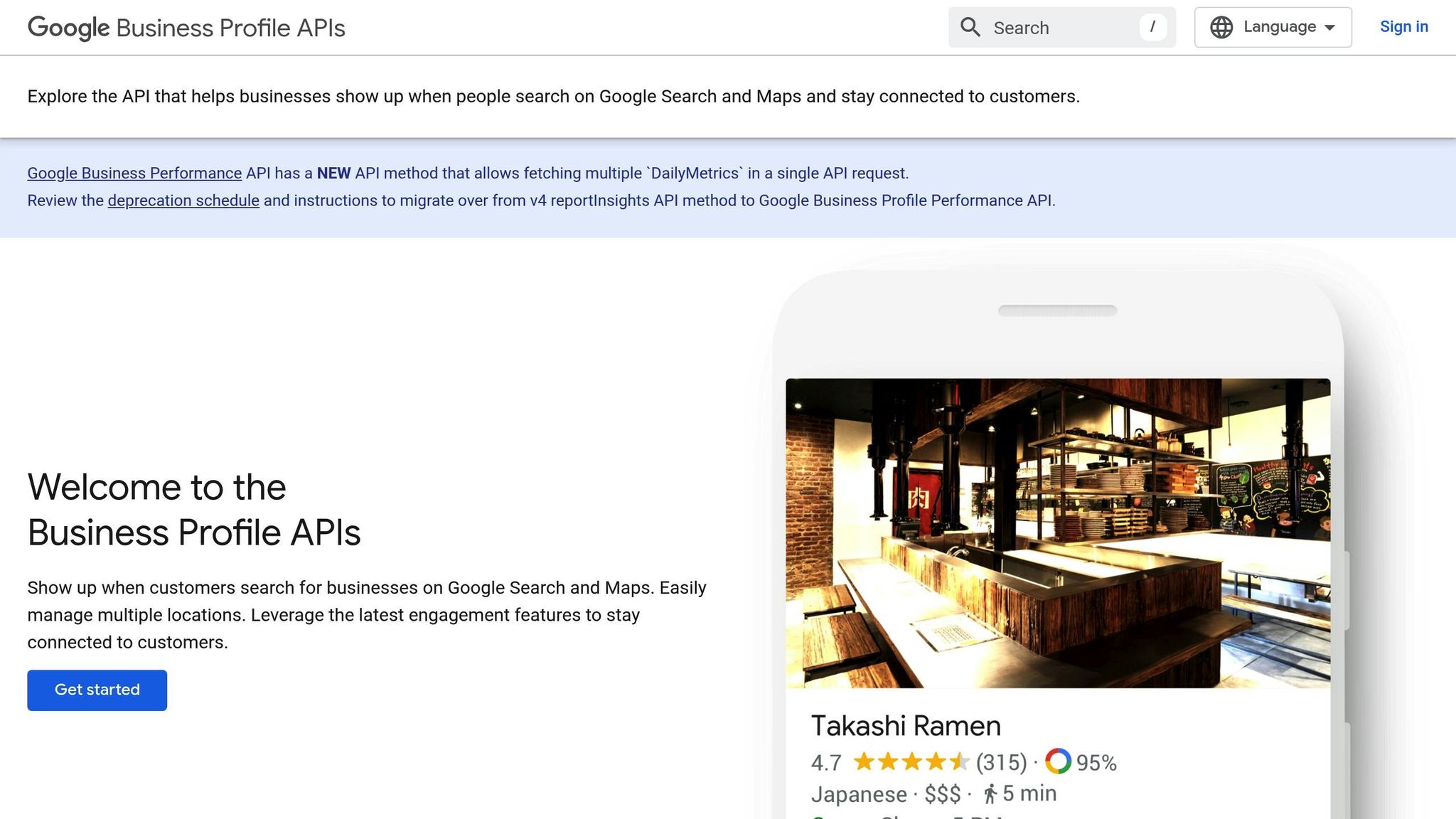
The Google Business Profile API is a powerful tool for businesses looking to manage their Google Maps presence efficiently. It allows you to programmatically access and update your business information without the hassle of manually checking or editing each location. Through the API, you can retrieve two main types of data:
Location Details: Information such as your business name, address, hours of operation, and contact details.
Customer Reviews: Insights into ratings, comments, reviewer profiles, and timestamps.
For businesses managing multiple locations, the API is a game-changer. It enables real-time updates, such as adjusting operating hours or automating responses to customer reviews, saving time and resources [7].
"The Google Business Profile API was developed to empower businesses to manage their information on a granular level - whether they had one location or hundreds - all without having to leave the platform." [6]
"Businesses looking to maximize their presence, control how information is presented on Google, and manage multiple locations, especially with limited resources or the need to be efficient, will benefit from the Google Business Profile API." [6]
Web Scraping for Competitor Research
While APIs are ideal for managing your own data, web scraping is a useful method for gaining insights into your competitors. By extracting publicly available information, you can analyze competitor listings for details like reviews, operating hours, service offerings, and customer feedback trends.
Before diving into web scraping, it’s essential to review the website’s terms and conditions and check its robots.txt file to ensure compliance. To avoid detection, consider using techniques like proxies, rotating IPs, and modifying HTTP headers [9].
"Location intelligence - answering spatial analysis questions - can lead to new insights and provide new perspectives on things", explains David Stodder, Business Intelligence Analyst at TDWI [8].
For example, a parcel delivery service in Spain utilized geospatial data from Google Maps to pinpoint regions with high demand. This information helped them strategically select locations for new distribution centers [8]. By focusing on factors like customer sentiment, service coverage, and response times, businesses can identify opportunities to stand out and target underserved markets.
Automated Data Collection Solutions
For businesses that need large-scale data extraction but lack the resources to build custom solutions, automated tools are a practical choice. These platforms streamline the process, combining web scraping with user-friendly interfaces, making them accessible even for those with limited technical expertise.
Automated tools can quickly extract thousands of leads with impressive accuracy. For instance, Cohesive AI offers a service that scrapes Google Maps and government filings to identify leads, personalizes outreach using AI, and manages email campaigns - all for $150 per month. The platform guarantees at least two interested responses monthly, making it a cost-effective alternative to traditional lead generation agencies for industries like janitorial, landscaping, and HVAC.
In 2023, Regency Supply automated its lead qualification process using such tools. They successfully identified hard-to-reach contractors, eliminating the need for manual research and allowing their team to focus on closing deals [10]. Most automated tools export data in CSV or Excel formats, making it easy to integrate with CRM systems and marketing tools. Some even offer additional features like email verification, social media link extraction, and data validation to ensure the leads are accurate and actionable.
Choosing the Right Method
The best data collection method depends on your budget, technical skills, and scale of operations. Whether you opt for manual API integration, custom scraping solutions, or automated tools, each approach has its strengths. For many local service businesses, automated solutions strike the perfect balance between functionality, ease of use, and affordability.
Converting Google Maps Data into Business Insights
Once you've gathered data from Google Maps, the next step is turning it into strategies that drive results. For local service businesses, this data is a goldmine - it can help pinpoint high-potential leads, spot market trends, and fine-tune service coverage to fuel growth. Let’s break down how user actions, like requesting directions, can reveal meaningful customer intent.
Lead Identification through Direction Requests
When someone requests directions to your business on Google Maps, they’re signaling a strong intent to visit. This action often carries more weight than a phone call or website visit because it reflects immediate interest.
"While phone calls are a great indicator of people who are interested in your business, requests for navigation and driving directions through Google Maps send even stronger behavioral signals that there are potential customers who want to see or visit your business." - GMB Crush [11]
Google also uses direction requests as a factor in local search rankings. The more people ask for directions, the more visible your business becomes. Plus, there’s a link between direction requests and customer engagement - visitors who use this feature tend to leave reviews, boosting your profile further.
To encourage more direction requests, start by optimizing your Google Business Profile. Ensure your business type is specific, your address is accurate, and driving direction links are easy to find on your website and social media. If your business serves multiple areas, create city-specific landing pages. Include embedded driving directions from well-known landmarks to attract customers from nearby regions while gathering valuable geographic insights.
Market Trends and Seasonal Forecasting
Data from search patterns and direction requests can reveal seasonal trends and help you prepare for demand spikes. Timing your marketing efforts and resource allocation around these patterns can make a big difference.
For example, studies show that 25% of searches come from a small number of popular queries, while 58% are unique, one-time searches [13]. This highlights the importance of capturing customers at the right moment.
"Connecting restaurant units between Black Box Financial Intelligence and Black Box Guest Intelligence allows us to compare the reviews of those restaurants with the best traffic relative to their local peers with the rest of the field. Not surprisingly, restaurant units with the best traffic growth had better food, service, and value net sentiment scores (net sentiment is the difference between the percentage positive and percentage negative for each category)." - GuestXM by Black Box Intelligence [12]
For instance, if you run a landscaping business, you might notice a surge in direction requests during spring. Use this insight to ramp up your Google Ads budget in late winter. Similarly, HVAC businesses can prepare for summer cooling needs or winter heating emergencies by analyzing past seasonal data. These trends not only inform marketing strategies but also help identify opportunities for optimizing service areas.
Service Area Optimization with Geographic Data
Analyzing geographic data from Google Maps can reveal where your customers are coming from and uncover underserved areas with potential for growth. By tracking metrics like direction requests, contact clicks, and profile views, you can identify patterns that guide your decisions.
For example, areas with high profile views but few direction requests might indicate interest hindered by accessibility issues. Meanwhile, regions with consistent direction requests signal customer hotspots worth further investment.
Google Maps’ route optimization tools can also help streamline service delivery. These features consider factors like traffic and distance to create efficient routes, saving time and cutting fuel costs. Real-time updates enable dynamic rerouting, allowing you to serve more customers in less time.
If you’re considering expansion, combining Google Maps data with demographic insights can help pinpoint promising markets. Look for areas with high search volume for your services and low competition. Tools like Cohesive AI even integrate Google Maps data with public records to identify potential leads and tailor outreach campaigns for maximum impact.
Finally, keep an eye on your Google Business Profile insights. Analyzing how customers from different regions interact with your listing can guide decisions about opening new locations, adjusting service hours, or customizing marketing campaigns - all of which can boost your business performance using Google Maps data.
Setting Up Automated Lead Generation Systems
Leverage insights from Google Maps data to set up automated lead generation systems that save time and resources. Manual methods can be slow and inefficient, but AI-powered tools transform Google Maps data into a steady stream of qualified leads. Let’s explore how AI-driven identification, personalized outreach, and campaign tracking can streamline your lead generation process.
AI-Powered Lead Identification
AI tools are built to process large volumes of Google Maps data, pinpointing businesses that align with your ideal customer profile. These tools not only identify potential leads but also gather essential data to kickstart your outreach.
For example, Cohesive AI simplifies lead generation by scraping Google Maps for local business information, finding owner emails, and compiling detailed prospect lists. This approach is particularly effective in industries like janitorial services, landscaping, HVAC, catering, and business brokerage - fields where local connections are key to growth.
One of the biggest advantages of AI is speed. While traditional methods might yield 10–20 leads daily, AI can identify thousands of businesses in the same time frame, accelerating lead generation by 2–3 times [16].
When setting up an AI system, it’s important to define clear criteria for your prospects, such as business size, location, and industry. The more precise your filters, the better the quality of your leads - helping you focus on high-value opportunities while avoiding irrelevant ones.
Personalized Outreach with Automation
Identifying leads is just the first step. The real challenge is engaging them effectively, and this is where AI-powered tools shine. These tools analyze data, segment audiences, and create tailored messages that resonate with your prospects, leading to higher response rates.
The personalization process involves three key steps:
Data analysis: Gather insights on prospects to understand their needs.
Audience segmentation: Group prospects based on common traits or challenges.
Targeted messaging: Craft communications that address specific pain points or opportunities [14].
For best results, test your messages on smaller groups, keep your data up-to-date, and strike a balance between automation and human input.
Cohesive AI offers scalable solutions, starting at $150 per month with a $50 setup fee. Their platform supports up to three campaigns at a time and guarantees at least two interested responses monthly - or you get a free month as credit.
Tracking Campaign Success
To understand how well your automated lead generation campaigns are working, you need to track both short-term metrics and long-term outcomes. AI tools provide real-time insights that help you fine-tune your efforts and maximize ROI.
Some key metrics to monitor include:
Response rates: How many prospects engage with your outreach.
Conversion rates: The percentage of leads that turn into customers.
Cost per acquisition: How much you spend to acquire each customer.
Businesses using AI in marketing often see a 20–30% increase in ROI [15].
Here’s a breakdown of what to measure and why it matters:
Metric Category | What to Measure | Business Impact |
|---|---|---|
Cost Efficiency | Labor and operational costs | Compare expenses before and after AI adoption |
Revenue Growth | Sales conversions and deal closures | Track increases in closed deals |
Productivity | Time saved and task efficiency | Quantify reductions in manual work |
Engagement | Response rates and satisfaction scores | Evaluate improvements in customer interactions |
Real-world examples highlight the impact of AI tracking. P&O Cruises, for instance, used AI tools to test multiple marketing strategies simultaneously, achieving a 2.8% boost in booking conversions and generating an extra $1.3 million in revenue [17]. Similarly, Tea Collection identified tweaks that increased order volumes by 5%, adding over $1 million in projected revenue [17].
To get the most out of your campaigns, establish performance benchmarks before implementing AI. Regularly monitor results, experiment with different messaging, and adjust your targeting based on what works best. Integrating AI tools with your CRM system ensures you can follow leads from first contact to closed deals, giving you a full view of your sales pipeline and helping refine future strategies.
Conclusion: Growing Your Business with Google Maps Data
Google Maps data offers a treasure trove of opportunities for local service businesses looking to expand. With nearly half of all Google searches having local intent and 86% of consumers using Google Maps to explore businesses [18], this platform has essentially become the gateway to local commerce.
By tapping into tools like Business Profile insights, analyzing competitors, and utilizing automated data collection, businesses can supercharge their lead generation and customer outreach efforts. Automation, in particular, plays a game-changing role by removing manual hurdles and scaling operations. In fact, businesses that adopt lead generation automation often experience revenue growth of at least 10% within six to nine months, with advanced systems increasing conversion rates by as much as 77% [19]. For industries like janitorial services, landscaping, HVAC, and catering, platforms such as Cohesive AI showcase how Google Maps data can be turned into steady revenue streams. These platforms help businesses scrape valuable data, craft personalized outreach using AI, and manage email campaigns effectively.
The key takeaway? Google Maps data isn't just about boosting visibility - it’s about uncovering actionable insights. Each search, click, or request for directions reveals patterns in customer behavior, market needs, and growth opportunities. The businesses that thrive are the ones that capitalize on these insights with systems designed to collect and act on them.
To get started, focus on optimizing your Google Business Profile, establishing efficient data collection workflows, and integrating automation tools to scale your efforts. By treating Google Maps data as a strategic resource, local service businesses can secure a competitive edge and unlock new growth opportunities.
FAQs
How can local businesses use Google Maps data to boost visibility and attract more customers?
Local businesses can use Google Maps data to boost their visibility and draw in more customers by fine-tuning their Google Business Profile. Start by claiming your listing and double-checking that all essential details - like your address, phone number, and business hours - are correct. Add high-quality photos and write engaging descriptions to make your profile stand out. Keeping your information up-to-date and consistent across all platforms is also key to building trust with potential customers.
Encouraging satisfied customers to leave positive reviews can make a big difference in how your business ranks locally on Google Maps. Reviews not only improve your credibility but also influence your visibility. Don’t forget to dive into the engagement metrics Google Maps provides. These insights can help you track customer interactions, spot trends, and fine-tune your marketing strategies. By analyzing this data, you can better understand what your customers want and adjust your services to meet their needs more effectively.
What key metrics should local businesses monitor on their Google Business Profile to understand customer behavior?
To gain a clearer picture of customer behavior, local businesses should pay attention to these key metrics on their Google Business Profile:
Search Types: Keep an eye on how customers are finding you - whether through direct searches (looking specifically for your business), discovery searches (finding you while looking for a service or product), or branded searches (searching for your brand name).
Profile Views: Monitor how often your business profile is viewed on both Google Search and Google Maps to gauge visibility.
Customer Actions: Track actions like website clicks, phone calls, and direction requests to see how engaged your audience is.
Reviews and Ratings: Stay on top of the number and quality of reviews, as they play a big role in building trust and improving your visibility.
Photo Views: Review how often your photos are being viewed - this can be a strong indicator of customer interest in your business.
By analyzing these metrics, you can better understand what resonates with your audience and fine-tune your marketing efforts to achieve stronger results.
How can tools like Cohesive AI help local service businesses use Google Maps data to improve lead generation and customer outreach?
Tools like Cohesive AI are changing the game for local service businesses by turning Google Maps data into a powerful resource for lead generation and customer connection. These tools pull detailed business information - like contact details and customer reviews - straight from Google Maps, allowing businesses to build targeted lead lists with speed and precision.
On top of that, Cohesive AI streamlines tasks such as personalizing cold emails and running email campaigns. By automating these processes, businesses can save valuable time while zeroing in on specific regions or customer groups. This approach not only boosts outreach efficiency but also strengthens engagement with potential clients, making growth and success more achievable.