How Google Maps Data Powers AI Email Personalization
Nov 4, 2025
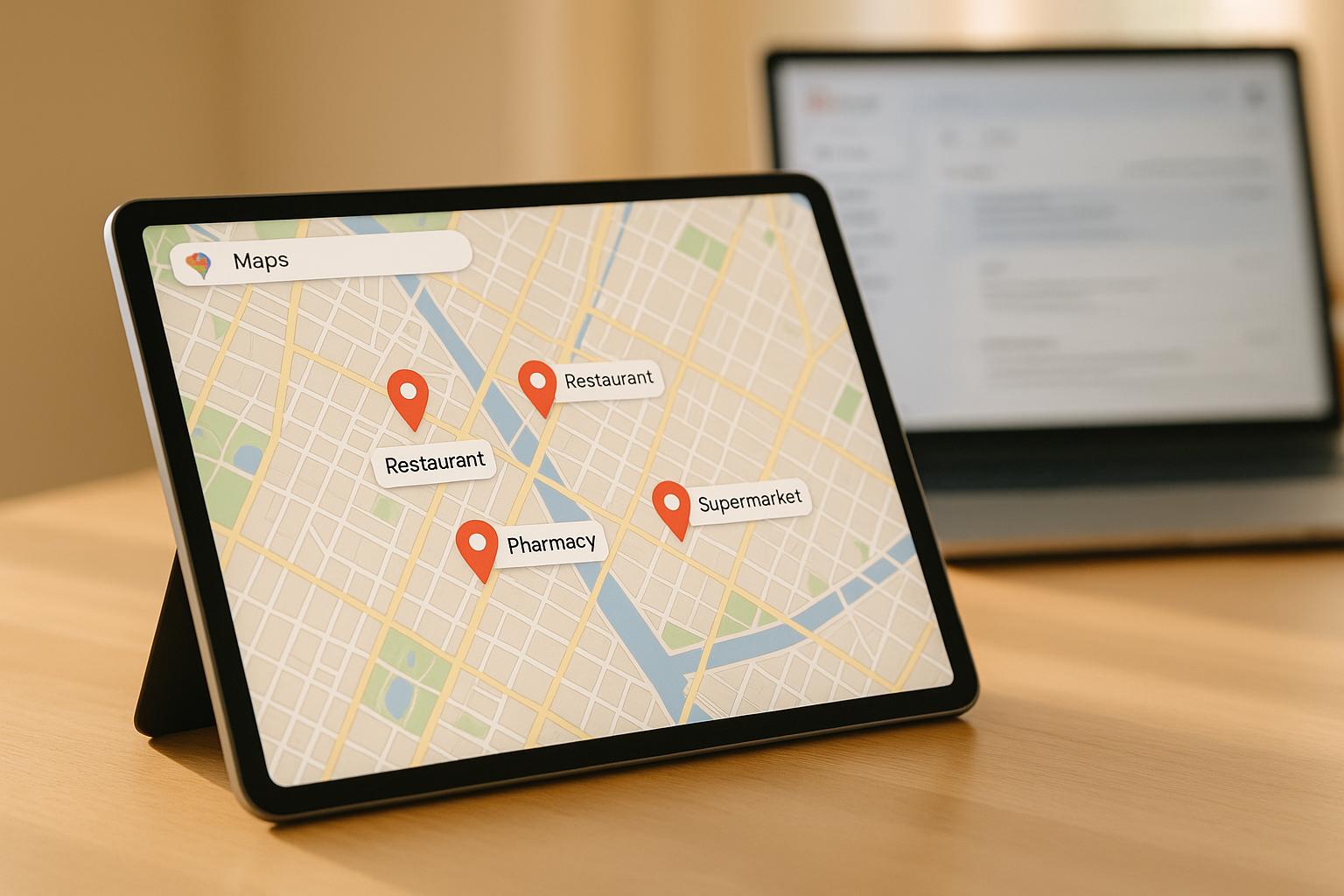
Want to send emails that actually get responses? By combining Google Maps data with AI, you can create emails tailored to each business's specific needs. Here's how it works:
Google Maps Data: Extracts critical details like business type, location, operating hours, and customer reviews.
AI Personalization: Turns this data into customized emails that address each business's unique challenges (e.g., cleanliness complaints or service gaps).
Automation Tools: Platforms like Scrap.io and Cohesive AI streamline the process, from data collection to email delivery.
This approach helps local service providers - like janitorial or HVAC companies - ditch generic outreach for targeted campaigns. The result? Higher response rates and more meaningful connections with potential clients.
Why it works: Google Maps offers real-time, reliable data that businesses actively update. When paired with AI, this information becomes the backbone of personalized, effective outreach. Instead of wasting time on outdated email lists, you can focus on leads that are relevant and up-to-date.
Compliance is key. Stick to publicly available data and follow laws like CAN-SPAM to ensure ethical, legal outreach. Tools like Cohesive AI even handle compliance for you.
Want to save time and boost your outreach? AI-driven email personalization is the way forward.
I Deep Personalized 1000+ Cold Emails Using THIS AI System - FREE DOWNLOAD
Why Google Maps Data Works for Local Lead Generation
Google Maps has become the go-to tool for discovering local businesses, making it an excellent resource for generating leads. Unlike older, often outdated data sources, Google Maps offers real-time, verified details that business owners actively maintain, supplemented by customer reviews. This combination gives local service providers access to accurate, actionable information, paving the way for tailored outreach strategies.
What Data Google Maps Provides
Google Maps business listings are packed with useful details. They include the basics like business names, addresses, phone numbers, and websites. But they also go deeper, offering insights like customer reviews, ratings, business categories, and operating hours. These extra layers of data can reveal a business's unique needs and current situation.
For instance, reviews and ratings can highlight where businesses excel or struggle. A restaurant with complaints about cleanliness might be a great lead for a cleaning service, while an office with reviews mentioning temperature issues could be ideal for an HVAC contractor. Even photos uploaded by customers or owners can offer clues about a business’s condition, signaling potential maintenance or service needs.
Location data is another game-changer. By pinpointing businesses within a specific service area, you can avoid wasting time on prospects outside your reach. All these data points collectively set the stage for creating highly targeted campaigns.
Benefits of Google Maps Data for Local Businesses
One of the biggest advantages of Google Maps data is its reliability. Businesses frequently update their listings, and customer reviews keep the information fresh. This means you're working with current, accurate data - not outdated contact lists.
Here’s how Google Maps stacks up against other data sources:
Source | Data Provided | Saturation | Personalization Potential |
|---|---|---|---|
Google Maps | Verified business info, reviews, ratings, location | Low | High (leveraging reviews, location, business type) |
Professional profiles, company info | High | Moderate (limited local context) | |
Purchased Email Lists | Basic contact info | High | Low (often generic and outdated) |
What sets Google Maps apart is its low saturation. While platforms like LinkedIn or purchased email lists flood businesses with generic outreach, fewer companies leverage Google Maps data. This gives you a better chance of standing out with personalized, relevant messages.
Cohesive AI, for example, uses Google Maps data and government filings to create targeted lists of local business owners. From there, it employs AI to personalize cold emails, referencing specific business details, and even handles campaign management[2]. This automated process turns what would be a manual, time-consuming task into a scalable, efficient system that works nonstop.
With its real-time updates and detailed information, Google Maps data allows tools like Cohesive AI to craft outreach efforts that feel personal and relevant, increasing the likelihood of connecting with prospects.
How to Prepare Google Maps Data for AI Personalization
After recognizing the value of Google Maps data, the next step is to extract and organize it for AI-powered email campaigns. This preparation is crucial for delivering personalized outreach that stands out. By collecting the right data, cleaning it up, and adhering to legal standards, you can lay the groundwork for highly effective campaigns.
Collecting Business Data from Google Maps
The success of your data collection depends on knowing exactly what information to gather and how to find it. Google Maps offers a wealth of business details - contact information, customer reviews, ratings, and other key attributes - that can fuel personalization efforts.
Start by defining your target market clearly. Instead of a broad search like "restaurants", narrow it down to something more specific, such as "Italian restaurants in downtown Chicago with websites and at least 10 reviews." This approach ensures you're gathering relevant prospects from the start.
Automated tools can help by filtering businesses based on location, type, and review count, then exporting the results to a CSV file. Some of the most valuable data points to collect include:
Business name, address, and phone number
Website and email address (if available)
Business category and operating hours
Total review count, average rating, and recent review highlights
Customer reviews are especially powerful. According to Hunter.io, referencing specific reviews in outreach emails can boost reply rates by up to 30% compared to generic messages[4]. Look for reviews that mention specific challenges, compliments, or needs that align with your services.
Platforms like Cohesive AI can automate this entire process, scraping Google Maps data and eliminating the need for manual collection. Once you've gathered the data, the next step is to organize it for AI-driven personalization.
Organizing and Cleaning Your Data
Raw data from Google Maps often contains duplicates, inconsistencies, and missing information. To make it AI-ready, you’ll need to clean and structure it.
Start by removing duplicate entries and standardizing details like phone numbers (e.g., (555) 123-4567) and addresses. Verify email addresses when possible, and organize the data into clear categories. For example:
Basic details: Name, address, phone number
Business insights: Category, hours, website
Personalization data: Review highlights, ratings, unique business characteristics
To enhance personalization, consider adding extra fields like "recent positive reviews", "mentioned pain points", or "business differentiators." For example, if you're targeting HVAC companies, you might note reviews that mention temperature issues, recent installations, or seasonal service needs.
Once cleaned, export the data to a CSV file or import it into Google Sheets. If you're using AI tools like ChatGPT or GPT for Sheets, ensure column headers are clear so the AI can easily reference the data when generating personalized content. Clean, well-structured data not only improves personalization but also ensures compliance with legal standards.
Legal and Privacy Requirements
When using Google Maps data for email outreach, it’s essential to follow privacy laws and ethical guidelines. Compliance is non-negotiable - violations can result in hefty fines and damage your reputation.
In the U.S., the CAN-SPAM Act requires you to include unsubscribe links, provide accurate sender information, and honor opt-out requests. Avoid misleading practices and only use publicly available email addresses. Additionally, respect businesses that have explicitly indicated they do not want to be contacted.
If you’re reaching out to businesses in Europe, GDPR compliance is a must. Provide clear opt-out options and promptly honor removal requests.
It’s also important to stay updated on Google’s Terms of Service, as they may change over time. While publicly available business information is generally fair game, abide by platform rules, such as rate limits, and avoid excessive data scraping.
Ethical considerations matter just as much as legal ones. Use only public information, avoid contacting businesses that have opted out of solicitations, and focus on providing genuine value in your outreach. Remember, behind every business listing is a hardworking owner - approach them with the respect and care you’d expect for your own business.
Platforms like Cohesive AI can simplify compliance by handling data collection and email campaigns in accordance with legal standards, so you don’t have to become an expert in privacy laws. This ensures your outreach is both effective and responsible.
Creating Personalized Email Campaigns with AI
AI takes cleaned Google Maps data and transforms it into tailored email messages that feel personal and engaging. Let’s break down how this works and how businesses can use AI to craft and scale their email outreach.
How AI Personalizes Email Content
AI tools like ChatGPT and AI-enabled Google Sheets turn raw data from Google Maps into conversational, personalized emails [2] [3]. These tools analyze details such as business type, location, recent reviews, and operating hours to create messages that resonate with the recipient.
For instance, imagine targeting an Italian restaurant with reviews mentioning slow service during busy times. AI could generate an email that acknowledges the restaurant’s popularity while offering solutions for managing peak hours. It might highlight the restaurant’s location, reference glowing reviews, and tie these insights to your service.
Instead of sending a generic message, the email might say, "I noticed Tony’s Pizzeria has earned fantastic reviews for your authentic wood-fired pizzas, and I saw a few customers mention how busy you get on weekends. I’d love to share how our service can help streamline operations during those peak times."
The best AI-generated emails focus on specific review highlights, emphasize a business’s unique qualities, and connect these details to the services you’re offering. This level of personalization makes your outreach stand out.
Scaling Email Personalization with AI
Once you’ve perfected individual emails, AI can scale this process for large outreach campaigns. Crafting hundreds or thousands of personalized messages manually is nearly impossible, but AI makes it manageable by generating unique, natural-sounding emails for each contact in your database.
Modern AI tools avoid the trap of creating robotic, template-driven messages. They analyze patterns from your most effective emails and apply those insights across your prospect list. For example, AI might identify that quoting specific reviews works well for restaurants, while referencing local challenges resonates more with HVAC companies.
AI also varies its messaging to keep outreach fresh. Some emails might highlight positive reviews, others might address local market trends, and some might focus on specific customer feedback. This variety ensures your emails feel genuine and engaging, avoiding the monotony of formulaic communication.
Adding AI-Generated Emails to Your Campaigns
Once your personalized content is ready, it’s time to integrate AI-generated emails into your outreach workflow. Start by uploading well-organized business data with clear headers into your AI tool. Include key details like business name, category, location, notable review highlights, and any identified challenges or opportunities.
Next, create prompts that guide the AI in crafting emails that match your desired tone and style. For example, you might instruct the AI to reference a specific review, mention the business’s location, and connect these points directly to your service offering.
Cohesive AI simplifies the entire process, from scraping Google Maps and public records for local business data to generating personalized emails and managing campaign delivery and follow-ups [2]. This automation eliminates the need for manual data entry or generic outreach, allowing local service providers to scale lead generation efficiently.
If you’re handling the process manually, export AI-generated emails and import them into your email marketing platform. Be sure each email is unique, includes authentic personalization, and is sent only to verified, relevant contacts [2].
Finally, test your AI-generated emails with smaller batches before rolling them out to your entire prospect list. This step helps you refine your AI prompts and data inputs, ensuring better results as you scale.
Automating Your Complete Lead Generation Process
Manual lead generation can be a real time sink. Local service businesses often spend hours hunting for potential clients, crafting emails, and juggling follow-ups. Thankfully, platforms like Cohesive AI simplify this process by automating everything - from gathering data to managing full campaigns. This means you can focus less on prospecting and more on closing deals.
Cohesive AI takes care of the heavy lifting. It scrapes Google Maps and government filings to find local business owners in industries like janitorial services, landscaping, HVAC, and catering[1]. Once the data is collected, the platform uses AI to create personalized cold emails tailored to each business. From data collection to email delivery and follow-up tracking, the entire lead generation process is automated.
The platform also digs deep into business data, extracting detailed insights from listings. This allows it to craft highly targeted campaigns that resonate with potential clients[2].
Key Features for Lead Nurturing
Effective lead nurturing relies on two things: consistent follow-ups and reliable email delivery. Cohesive AI excels at both. It ensures your emails land in inboxes and comes with built-in CRM tools to track engagement, schedule follow-ups, and organize your outreach[1]. Automated follow-ups keep your messages fresh by referencing different aspects of a prospect's business, making your outreach feel personal and engaging.
Cohesive AI's pricing starts with a Base Plan at $500 per month, which includes up to three simultaneous campaigns. There’s also a one-time onboarding fee of $75. And here’s the kicker: the platform guarantees at least four interested responses per month. If it doesn’t deliver, you get a free month of service[1].
Benefits of AI-Powered Lead Generation Tools
The contrast between manual lead generation and AI-powered automation is stark:
Manual Lead Generation | AI-Powered Automation |
|---|---|
Hours spent researching prospects daily | Minutes to set up automated data collection |
Generic, one-size-fits-all email templates | Tailored, hyper-personalized emails using real business data |
Low response rates from impersonal outreach | Higher engagement from relevant, targeted communication |
Manual follow-up tracking and scheduling | Automated, multi-touch follow-up sequences |
Limited scalability | Effortlessly scales to reach hundreds or even thousands of prospects |
AI-driven cold emails, customized with specific business details, deliver significantly better response rates compared to generic outreach[2][4]. By embracing automation, local service businesses can bypass traditional lead generation agencies, gaining more control over their outreach while achieving better results with personalized communication.
The time savings are impressive. What used to take 10–15 hours a week for manual prospecting and email drafting can now be reduced to just a few minutes of setup and monitoring. That means business owners can spend less time chasing leads and more time focusing on what they do best - delivering top-notch service to their clients.
Best Practices for Email Campaign Success
To make the most of AI-powered email campaigns, it's essential to follow strategies that align with how people read and respond to business emails. By combining real-time insights from tools like Google Maps with smart email practices, you can boost engagement and results.
Getting Your Emails to the Inbox
Spam filters are smarter than ever, flagging mass emails and cookie-cutter templates. The upside? AI-generated personalized emails naturally stand out. They create unique, tailored messages based on specific business details, which spam filters are more likely to trust[2]. Instead of looking like a generic blast, each email feels like a one-on-one communication.
Skip the templates that scream "mass marketing." When your AI pulls data from Google Maps - like a business's recent reviews, location, or services - it crafts emails that feel personal and relevant[2]. This kind of customization shows email providers that your messages are legitimate, increasing the chances they’ll land in the inbox instead of the spam folder.
Formatting also matters. Clear subject lines, proper spacing, and concise content all reinforce the professionalism of your emails. For instance, if you're reaching out to a landscaping company, reference their specific services and location. Avoid generic phrases that could apply to anyone.
Platforms like Cohesive AI go a step further by managing the technical side of email deliverability. They handle things like sender reputation, domain authentication, and delivery optimization[1]. This takes the guesswork out of ensuring your personalized emails actually reach your prospects. Plus, with continuously updated data, your emails stay relevant and timely.
Keeping Your Lead Data Current
Accurate, up-to-date lead data is the backbone of any successful campaign. Businesses are always evolving - they move, update services, or even shut down. If your email references outdated information, it can damage your credibility and lower response rates.
Frequent updates to your data ensure higher engagement. Google Maps listings are constantly being refreshed as businesses add photos, update services, and respond to reviews. What worked a few months ago might no longer be relevant.
Using current data opens the door to better personalization. For example, if a restaurant recently added catering services or an HVAC company expanded into a new area, these are fresh details your AI can weave into your emails. This makes your outreach feel timely and shows you're paying attention to their business.
Automating data collection is the smartest way to keep your information fresh. By regularly pulling updated details - like recent reviews, service changes, or contact info - your AI can craft messages that feel relevant and informed. Staying current is essential for creating emails that resonate.
Using Specific Business Details to Boost Responses
Once your data is up to date, using specific business details can dramatically improve response rates. Generic compliments like "I noticed your great reviews" fall flat - they’re overused and lack substance. Instead, focus on precise details that show genuine effort and research[2][4].
For example, mentioning something like "I saw your recent five-star review highlighting your quick response to emergency HVAC repairs" or "Congrats on adding irrigation systems to your landscaping services" immediately grabs attention[2][4]. These specifics make your emails stand out because they feel personal and relevant.
AI shines at processing large amounts of detailed data that would take hours to sift through manually. By pulling specifics from Google Maps - like recent milestones, service expansions, or glowing reviews - your AI can craft messages that feel natural and tailored. The key is to integrate these details smoothly, rather than just listing them.
Highlighting milestones is especially effective. If a catering company just celebrated its 10th anniversary or a janitorial service earned a new certification, mentioning these achievements adds a congratulatory tone that feels genuine, not salesy.
Dynamic templates that pull from multiple data points consistently outperform static ones[2]. When your AI references a business’s name, services, location, and recent reviews in a single, conversational message, it creates the kind of personalization that gets noticed. The goal? Make every email feel like it was written specifically for that business owner, showcasing the power of AI-driven local outreach.
Conclusion: Growing Your Business with AI and Google Maps Data
Using Google Maps data alongside AI-driven personalization offers a powerful way to streamline lead generation. By automating tasks like prospecting and drafting emails, businesses can save time while still delivering the personal touch that drives real engagement.
AI-created personalized emails not only improve deliverability but also ensure content feels genuine and varied - qualities that spam filters tend to favor. Companies adopting these data-driven strategies often see a boost in marketing ROI, with increases of up to 45% reported[3]. It’s not about sending more emails; it’s about sending smarter ones - emails that get opened and spark meaningful responses. This approach paves the way for fully automated marketing systems.
Take Cohesive AI, for example. This platform simplifies lead generation by automating data collection, email personalization, and campaign management. For local service providers in the U.S., a subscription priced at $500 per month (plus a one-time $75 setup fee) includes up to three active campaigns, managed email deliverability, and CRM integration. Cohesive AI guarantees at least four interested responses each month - or a free month credit.
"Cohesive automates the entire lead generation and marketing process for you to local businesses and properties." – Cohesive AI [1]
This kind of automation is a game-changer for businesses like HVAC companies, landscapers, and janitorial services. Instead of spending days manually researching prospects, these companies can rely on Cohesive AI’s detailed profiling to handle the heavy lifting[2].
In an increasingly crowded digital marketplace, personalization has shifted from being a nice-to-have to a must-have. Generic outreach often goes unnoticed, while AI-powered messages that reference specific business details, recent reviews, or local context stand out. This makes adopting an automated, strategic solution not just a smart move but a necessary one.
Local service providers face a choice: stick with time-consuming manual processes or embrace AI and Google Maps data to automate lead generation. Those who adapt to this technology will enjoy a clear edge as the market continues to evolve.
The future of lead generation for local businesses is automated, personalized, and powered by data. Starting now could make all the difference in staying ahead of the competition.
FAQs
How does AI use Google Maps data to personalize emails for local businesses?
AI taps into Google Maps data to craft personalized email campaigns for local service providers. By pulling details such as business names, addresses, and contact information, it creates cold emails that feel relevant and targeted to nearby businesses.
Cohesive AI takes this a step further by automating the entire lead generation process. It collects local business data from Google Maps, uses AI to write tailored email content, and handles outreach campaigns. This makes it easier for service providers to connect with potential clients in their area efficiently and effectively.
How can businesses ensure they comply with privacy laws when using Google Maps data for email campaigns?
When using Google Maps data for email outreach, businesses must carefully adhere to privacy laws. Start by ensuring your data collection and usage comply with regulations like the CAN-SPAM Act in the United States, which sets rules for email marketing. This includes securing proper consent when necessary and providing recipients with an easy way to opt out of future emails.
It's equally important to steer clear of gathering or using sensitive personal information unless you have explicit permission. Keep your email content professional and directly relevant to the recipient's interests or needs. To stay on the safe side, make it a habit to review your privacy policies regularly and consult legal professionals to stay informed about updates to data privacy laws that could affect your outreach efforts.
How does Cohesive AI streamline lead generation for local service businesses?
Cohesive AI streamlines lead generation by tapping into data from Google Maps to pinpoint local businesses and gather their contact information. It then employs AI to create tailored cold emails and handle email campaigns, making it simpler for local service providers to reach out to potential clients. By automating these processes, the platform frees up valuable time, allowing businesses to concentrate on providing their services.