How AI Enhances Pool Service CRM Tools
Dec 6, 2025
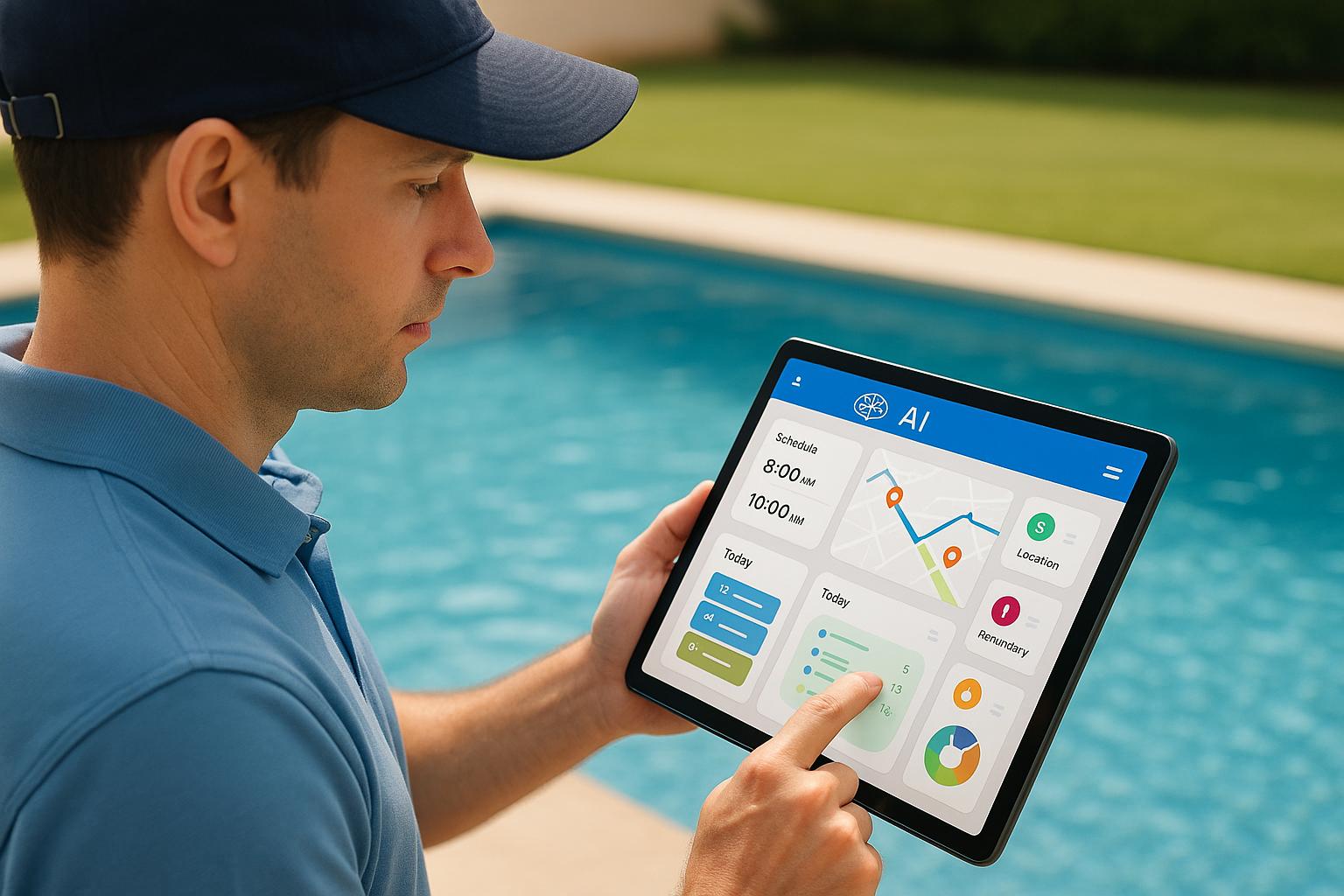
AI-powered CRM tools are transforming how pool service businesses operate. These systems automate tasks like scheduling, lead management, and customer communication, helping businesses save time, improve efficiency, and increase revenue. Here’s what they offer:
Predictive Analytics: Anticipates maintenance needs using data like equipment age and weather patterns, reducing emergencies and supporting planned services.
Automated Workflows: Manages routine tasks such as scheduling, invoicing, and follow-ups, ensuring consistent customer interactions.
Personalized Messaging: Sends tailored communication based on customer profiles, improving engagement and retention.
Lead Scoring and Generation: Prioritizes high-value leads and automates outreach, making it easier to attract and convert customers.
Route Optimization: Plans technician routes to minimize drive times and maximize daily stops, cutting costs and boosting productivity.
These tools help businesses grow faster by reducing missed appointments, shortening response times, and improving customer satisfaction. For instance, companies using AI-driven CRMs have reported a 20–30% drop in no-shows and a 35% increase in efficiency. By focusing on automation and data-driven decisions, pool service businesses can scale operations without adding overhead.
Episode 18 - Swimming in Data, How Ravi Kurani Transformed Pool Maintenance with AI
Main AI Features in Pool Service CRM Tools
AI-powered CRM tools are changing the game for pool service businesses by automating lead management, personalizing customer interactions, and predicting maintenance needs. These tools take care of repetitive tasks while ensuring customers receive quick, tailored service.
AI-Powered Lead and Customer Management
AI is reshaping how businesses handle potential and existing customers. When someone requests a quote on your website or calls in, the system automatically creates a customer profile, gathering details like property size and pool type. It even assigns a lead score based on their behavior - like revisiting pricing pages or searching for emergency repairs - so your team can focus on the most promising leads.
Customer segmentation is another game-changer. AI groups clients based on factors like pool type or service history. For instance, it can identify saltwater pool owners needing winterization, customers with aging pumps, or commercial properties on weekly cleaning schedules. This makes running targeted campaigns easy. You could send heater inspection offers to customers with older equipment or reminders for seasonal services.
Profiles grow richer over time as technicians add notes after each visit, detailing equipment condition, water chemistry, or customer preferences. This allows for highly personalized communication. Instead of generic messages, you can reference specific details - like a 15,000-gallon inground saltwater pool and a salt cell replacement done last summer.
Many pool service companies have seen higher booking rates thanks to automated lead management. With leads neatly organized and segmented, the next step is smooth communication.
Automated Messages and Follow-Ups
AI handles customer communication effortlessly, eliminating the need for extra office staff. It drafts and sends personalized emails and texts for appointment confirmations, service reminders, invoices, and follow-ups - all tailored to individual customer needs.
For example, an email might highlight that a 15,000-gallon saltwater pool is ready for summer or suggest a heater inspection based on its age. The system also learns the best times to send messages, ensuring they land when customers are most likely to engage.
Automated follow-up sequences keep customers engaged. New leads get a welcome series explaining your services, quotes receive follow-ups, and seasonal customers get reminders for pool openings or closings. One company using AI-driven follow-ups saw a 20–30% boost in repeat service contracts [8].
For businesses looking to grow, tools like Cohesive AI can identify local homeowners with pools and send personalized cold emails. These emails feed directly into your CRM, making follow-ups seamless.
But AI doesn’t stop at communication - it also ensures timely maintenance and smarter scheduling.
Predictive Maintenance and Service Scheduling
AI helps you stay ahead of issues by analyzing past service records, water chemistry logs, equipment age, and even local weather. It recommends maintenance before problems arise and schedules tasks based on historical data and seasonal patterns. For example, if a pump reaches eight years - when failures are more likely - the system flags it and suggests a check-up within 30 days.
Route optimization is another standout feature. AI plans daily technician schedules by grouping nearby jobs, estimating drive times, and balancing workloads. If a technician finishes early or runs late, the system adjusts assignments in real time to keep things running smoothly. This minimizes drive time and fuel costs while maximizing the number of pools serviced each day.
During busy summer months in the U.S., route optimization becomes even more crucial. Instead of manually planning routes, your CRM clusters stops by neighborhood, accounts for traffic, and provides turn-by-turn directions via a mobile app. This ensures technicians arrive on time and improves customer satisfaction. Plus, enriched profiles from lead management give technicians key details - like equipment history and service preferences - before each visit.
Some advanced systems even integrate with pool monitoring sensors that track water chemistry and equipment performance remotely. When imbalances are detected, the data feeds into your CRM. AI then prioritizes service calls and suggests needed parts or chemicals, reducing return trips and speeding up solutions.
Automating scheduling, communication, and maintenance workflows not only saves time but also helps businesses focus on revenue-generating activities. One company reduced missed appointments by 35% with automated SMS reminders and saved 10–15 hours of admin work per week [8].
How AI Improves Sales and Operations
AI is reshaping sales and operations for pool service businesses by automating tasks and refining field operations, making processes faster and more efficient.
Automated Sales Processes and Lead Generation
In the pool service industry, slow responses can mean lost business. AI-powered customer relationship management (CRM) systems solve this by capturing leads instantly and triggering automated follow-ups via text or email, ensuring no opportunity slips through the cracks [1][2].
Lead scoring takes it a step further, analyzing factors like location, engagement, urgency, and revenue potential. This helps sales teams focus their efforts on high-value leads, from commercial properties requiring regular maintenance to homeowners dealing with urgent equipment issues [1][5]. For example, John, the owner of a pool cleaning business, saw immediate improvements after implementing ProspectBoss, an AI-driven CRM. The system automatically ranked leads by interest level, enabling his team to prioritize and close more deals. Automated reminders and follow-up sequences enhanced the customer experience, making the entire process smoother [8].
AI also speeds up quoting. When a potential customer submits a service request, the CRM uses a pre-set price book (adjusted for factors like pool size, features, and service frequency) to generate detailed estimates in minutes. These proposals are sent via email or text, eliminating the need for manual calculations. Managers can even compare AI-suggested prices to regional benchmarks to stay competitive [1][2][6].
For prospects not ready to commit, AI keeps them engaged with targeted follow-ups. The system segments contacts by their buying timeline and sends them personalized content, seasonal reminders, or time-sensitive offers. Engagement data helps the AI determine the ideal frequency for follow-ups, so prospects stay informed without being overwhelmed [1][2][5][8].
Local lead generation also gets a boost. AI tools like Cohesive AI scan platforms like Google Maps and local business filings to identify potential clients, such as hotels, gyms, and homeowners' associations with pools. These tools craft personalized outreach emails and manage campaigns automatically, feeding interested responses directly into the CRM for follow-up. This approach creates a steady stream of leads without relying on expensive third-party brokers [1][2].
By streamlining sales processes, AI lays the groundwork for more efficient field operations.
Optimized Technician Scheduling and Route Planning
Once a sale is closed, AI steps in to ensure field operations run smoothly. Scheduling tools assign technicians based on their location, skills, and job requirements. These systems consider factors like the technician's home base, current route, certifications, and estimated job duration, minimizing drive time and overtime [4]. Instead of manually planning routes, the AI clusters jobs geographically and balances workloads across the day.
The advantages are clear. Pool service companies using AI-driven route planning can handle more jobs daily, lower fuel and maintenance costs, and reduce downtime in technicians' schedules. Customers also benefit from more accurate arrival windows, improving their overall experience [4][7].
Daily routes are optimized to account for travel time, traffic, recurring service appointments, and emergency calls. These routes are sent to technicians via mobile apps with turn-by-turn directions. If changes are needed, the AI recalculates routes in near real time, keeping drive times and mileage as low as possible. Technicians can also use the app to complete digital checklists and upload on-site photos, with the CRM updating job statuses and fine-tuning future routes [4][7].
Emergency jobs, like pump failures or heater issues, are handled seamlessly. AI tools flag these high-priority tasks and slot them into the nearest technician's route while rescheduling less urgent visits. The system evaluates factors like service-level targets and customer history to decide which appointments can be moved, sending proactive notifications to affected clients with updated time slots. This ensures quick responses to emergencies without disrupting regular operations [2][3][4][7].
To measure the impact of AI automation, track metrics in your CRM. For sales, focus on lead response time, quote-to-close rates, average job value, upsell rates, and customer lifetime value, broken down by lead source and campaign. For operations, monitor jobs completed per technician per day, average drive time, on-time arrival rates, repeat visits due to errors, and technician utilization. Regularly reviewing these metrics - ideally monthly - can help determine if AI is improving efficiency and justifying its cost [2][4][5][7][8].
For a smooth integration, start with simple automations like lead capture, instant responses, and basic route optimization for small teams. Train your staff on these features before introducing advanced tools like AI-driven lead scoring, automated quoting templates, and nurturing sequences. Gather feedback from your team to fine-tune settings. Once comfortable, expand to more complex features like local lead generation, detailed analytics, and advanced scheduling scenarios, supported by short training sessions and clear procedures [1][2][4].
Using AI for Local Lead Generation
AI has revolutionized the way businesses find and connect with local prospects. By combining advanced CRM tools with cutting-edge automation, AI helps businesses identify potential customers, craft personalized outreach, and run campaigns without the need for cold calling or expensive lead lists. This approach turns cold leads into engaged prospects with minimal effort.
Finding Local Leads with AI
Traditional prospecting methods can be incredibly time-consuming. AI streamlines this process by scanning various data sources to create targeted prospect lists automatically.
Take Cohesive AI, for example. This platform pulls data from sources like Google Maps and government filings to identify properties and businesses that might need pool maintenance services [1]. It analyzes details such as location, property type, and business classification to find high-value prospects like homeowners' associations, property managers, apartment complexes, hotels, fitness centers, and commercial facilities with pools. This automated process uncovers opportunities that manual research often overlooks.
Using geographic targeting, AI ensures you’re only reaching prospects within your service area. It also categorizes leads by property type, estimated value, and business classification, helping you prioritize the most lucrative opportunities. For instance, a hotel chain with multiple pools represents a bigger potential contract than a single-family home.
Cohesive AI offers its services at $500 per month, with a $75 onboarding fee. This includes up to three simultaneous campaigns targeting different prospect segments and guarantees at least four interested responses each month. Once prospects are identified, AI takes over with tailored email campaigns designed to convert leads into customers.
Personalized Email Campaigns with AI
Generic cold emails rarely grab attention, but AI-powered personalization changes the game. By tailoring messages to each prospect’s unique circumstances, businesses can dramatically improve response rates.
Cohesive AI customizes email subject lines and content based on factors like property type, location, and business classification. For example, a commercial property manager might receive an email highlighting expertise in maintaining large pools and offering bulk service contracts. Meanwhile, a residential HOA might see messaging focused on seasonal maintenance packages and community benefits. Individual homeowners could get emails emphasizing equipment longevity, water quality, and easy scheduling options.
The platform generates these emails automatically, using proven outreach strategies. It adjusts tone, highlights relevant services, and includes personalized details that resonate with each recipient. From there, the system manages the entire campaign, sending initial emails, tracking engagement (like opens and clicks), and following up automatically based on each prospect’s interactions.
When a prospect shows interest, their details - along with their engagement history - are instantly added to your CRM for quick follow-up. This allows your sales team to focus on the warmest leads. The platform also ensures high deliverability, so your emails land in the right inboxes.
Tracking metrics like open rates, click-through rates, and conversion rates helps refine your strategy over time. You can also analyze costs per lead and customer acquisition to measure the effectiveness of AI-generated leads compared to traditional methods.
AI doesn’t stop at the initial contact. Automated workflows handle ongoing tasks such as appointment confirmations, service reminders, seasonal maintenance updates, and review requests. By scoring leads based on engagement and property characteristics, the system prioritizes high-potential prospects, ensuring your team focuses on opportunities with the greatest impact.
To get started with AI-powered lead generation, it’s important to verify the accuracy of the data and ensure seamless integration with your CRM tools. Review the AI-generated messaging to make sure it aligns with your brand voice, set up clear follow-up protocols, and assign team members to nurture leads through the sales process.
Tracking ROI and Performance of AI-Powered CRMs
To truly understand the value of your AI-powered CRM, you need to connect the dots between leads, jobs, payments, and their impact on revenue, profit, and customer satisfaction [2]. Without tracking the right data, it’s impossible to know if the system is boosting your bottom line or just adding another expense.
Important Metrics to Track
When it comes to evaluating your CRM, tracking the right metrics is key. Here's what to focus on:
Financial and Revenue Metrics
These numbers are central to your ROI analysis. Keep an eye on revenue per customer, average ticket size, and monthly recurring revenue. These figures show the direct impact on sales. Additionally, monitor your lead-to-customer conversion rate. For instance, if you’re getting 100 leads each month but closing only 15, that’s a 15% conversion rate - a baseline you can aim to improve with AI.
Operational Efficiency Indicators
These metrics highlight how well your team handles daily tasks. For example:
Appointment completion rate: Tracks how many scheduled jobs are completed versus canceled.
Technician utilization: Measures billable hours against total available hours to gauge productivity.
Jobs per technician per day: Shows how many stops each worker completes.
On-time arrival rate: Tracks punctuality.
First-visit resolution rate: Indicates whether techs resolve issues on the first visit or need to return.
Lead and Sales Performance Metrics
These numbers help you understand your marketing and sales funnel. Key metrics include:
Cost per lead and cost per acquired customer: Reveal how much you’re spending to bring in new business.
Lead-to-estimate and estimate-to-job conversion rates: Show how efficiently leads move through your funnel.
Sales cycle length: Measures the time from first contact to a signed service agreement. AI tools like automated follow-ups and smart lead scoring can help shorten this cycle, turning more leads into contracts without increasing your marketing spend [1].
Customer Satisfaction and Retention Metrics
These metrics demonstrate how well AI features are keeping customers happy. Examples include:
Net Promoter Score (NPS), post-visit ratings, and satisfaction surveys.
Contract renewal rate and churn rate: Indicate whether customers are staying or leaving.
Repeat booking frequency: Shows how often customers return. AI tools like automated reminders and personalized communication can help improve these numbers.
Communication and Response Metrics
These track how quickly and effectively you engage with customers. Metrics like average response time, call answer rate, and call-to-booking rate can show whether your AI-powered outreach is making an impact. Automated follow-ups and reminders can also reduce no-shows and improve engagement.
Before rolling out AI features, collect 60–90 days of baseline data on lead volume, close rates, response times, and technician productivity. This baseline will allow you to clearly measure the impact of AI on your operations.
Focus Area | Key Metrics to Monitor | What Good Performance Looks Like |
|---|---|---|
Revenue Growth | Revenue per customer, average ticket size, monthly recurring revenue | Steady growth quarter over quarter; higher ticket sizes from upsells |
Lead Conversion | Lead-to-customer rate, cost per acquired customer, sales cycle length | Conversion rates above 15–20%; shorter sales cycles |
Operations | Jobs per tech per day, on-time arrival %, first-visit resolution rate | 6–8+ stops per tech daily; 90%+ on-time; 85%+ first-visit fixes |
Customer Retention | Churn rate, contract renewal rate, repeat booking frequency | Churn below 5%; renewal rates above 80%; frequent repeat bookings |
Measuring AI's Impact on Results
Once you’ve gathered your baseline data, it’s time to measure AI's contribution. Use A/B testing or phased rollouts - enable AI features for part of your team and compare their performance to a control group. You can also compare year-over-year data for the same months, accounting for changes in marketing spend or pricing.
Reducing Missed Appointments
AI’s value is often clear in areas like appointment reminders. Businesses using automated text and email reminders report a 20–30% drop in missed appointments [1]. For example, if you schedule 200 appointments monthly and your no-show rate drops from 15% to 10%, that’s 10 extra completed jobs. Depending on your average ticket size, this could mean an additional $1,000–$3,000 in monthly revenue.
Faster Response Times
AI tools that instantly respond to inquiries can significantly improve booking rates. If your average response time drops from 4 hours to just 15 minutes, you’re more likely to capture leads while they’re still interested. This can directly boost your lead-to-estimate conversion rate.
Higher Technician Efficiency
AI features like route optimization can increase technician productivity. For instance, if your techs currently average 5 stops per day and AI routing increases that to 6 or 7, you’re looking at a 20–40% capacity boost - without adding staff [6].
Improved Cash Flow
AI can also streamline invoicing and payment collection. By automating reminders, you can reduce overdue invoices and improve cash flow. For example, if you typically carry $10,000 in outstanding invoices and AI reduces collection time by 30%, you’ll have money in your account faster.
To calculate ROI, add up the extra revenue and savings AI generates, then subtract your CRM and AI-related costs. For example, if AI automations save you 20 staff hours per month (worth $500) and help close an additional $2,000 in profitable work, that’s $2,500 in additional monthly profit. Subtract your CRM costs, and you’re likely looking at a strong return on investment.
AI Lead Generation Tools
Tools like Cohesive AI can add measurable value. By tagging AI-generated leads separately in your CRM, you can track their performance. If Cohesive AI costs $500 per month and generates four leads that convert at your usual 25% rate, you’re gaining one new customer monthly. If that customer brings in $2,000 in first-year revenue with a 40% margin, you’re netting $800 profit - offering a 60% return on your investment.
Dashboards and Review Meetings
Set up a weekly dashboard to track metrics like new leads, conversion rates, completed jobs, and revenue per route. Include an AI-specific view to monitor metrics tied directly to AI features, such as automated follow-ups or no-show reductions. Hold monthly or quarterly review meetings to analyze trends, adjust AI settings, and experiment with new strategies. This continuous improvement process ensures AI is delivering measurable gains in efficiency, revenue, and customer satisfaction.
Conclusion: Growing Your Pool Service Business with AI-Powered CRMs
AI-powered CRM tools are reshaping how pool service businesses operate across the United States. By automating repetitive tasks like appointment scheduling, follow-up emails, and service reminders, these tools take care of the administrative heavy lifting. This means you can spend more time focusing on what really matters - keeping pools sparkling clean and your customers happy.
These tools don’t just streamline operations; they also enhance customer relationships. With consistent and personalized communication, AI helps build trust and loyalty, turning occasional customers into long-term clients. When customers feel valued and well-served, they’re more likely to renew contracts, request additional services, and recommend your business to others. The numbers back this up: AI-powered CRMs can increase appointment bookings by 20–40%, reduce no-shows by 15–30%, and boost ticket sizes by 10–25%. For instance, a 2023 case study revealed that one pool service company saw a 32% jump in customer retention and an 80% drop in scheduling conflicts in just one year [9]. These kinds of results can directly impact your revenue and overall business growth.
In competitive local markets, AI can also give you an edge. Faster response times and tailored communication allow your team to serve more customers without stretching resources thin.
When it comes to growing your customer base, tools like Cohesive AI can simplify lead generation. This platform automates local prospecting by gathering data from sources like Google Maps and government filings to identify property managers, homeowners associations, and commercial prospects. It then sends personalized outreach emails at scale - all for as little as $500 per month. Compared to traditional lead generation methods, this is a cost-effective way to expand your reach.
To make the most of these tools, start with the right CRM tailored to your business needs. Look for features like scheduling, route optimization, and customer communication. Begin by importing your existing customer data, setting up automations for tasks such as appointment confirmations and service reminders, and enabling AI-driven features like lead scoring and smart scheduling. Keep an eye on key metrics like lead conversion rates, no-show rates, technician efficiency, and customer retention to measure success and fine-tune your strategy. With this solid foundation, your business can scale efficiently and profitably.
AI-powered CRMs aren’t just about adopting the latest tech - they’re about creating a smarter, more scalable, and customer-centric business. Whether you’re managing 50 clients or 500, these tools help you deliver better service, grow faster, and reduce the workload, all while keeping costs in check.
FAQs
How do AI-powered CRM tools help pool service businesses avoid missed appointments?
AI-powered CRM tools are game-changers for pool service businesses when it comes to reducing missed appointments. By automating scheduling and sending timely reminders, these systems help keep operations running smoothly. Using predictive analytics, they can fine-tune appointment times by considering factors like traffic patterns, technician schedules, and customer preferences.
On top of that, AI can deliver personalized reminders through email or text, keeping customers in the loop and ready for their service. This not only boosts punctuality but also builds customer trust and leaves a positive impression of your business.
How does predictive analytics in pool service CRM tools improve scheduling and efficiency?
Predictive analytics in pool service CRM tools takes the guesswork out of maintenance scheduling. By examining patterns like customer history, equipment performance, and seasonal trends, these tools help pool service providers stay ahead of potential issues. Instead of waiting for problems to arise, businesses can plan maintenance proactively, cutting down on costly emergency repairs and minimizing downtime.
With automated insights, companies can make better use of their resources, deliver timely service, and improve overall customer satisfaction. Predictive analytics shifts scheduling from being a reactive task to a well-planned strategy, boosting both efficiency and reliability.
How does AI-powered lead scoring improve sales for pool service businesses, and what factors determine a lead's value?
AI-powered lead scoring is transforming how pool service businesses identify and prioritize potential customers. By diving into data like customer location, service preferences, interaction history, and online behavior, AI assigns a score to each lead. This score helps sales teams zero in on the prospects most likely to become paying clients.
The benefits are clear: less time wasted chasing low-potential leads and more focus on high-value opportunities. This approach not only boosts efficiency but also drives revenue growth, allowing pool service companies to refine their sales process and connect with the customers who matter most.